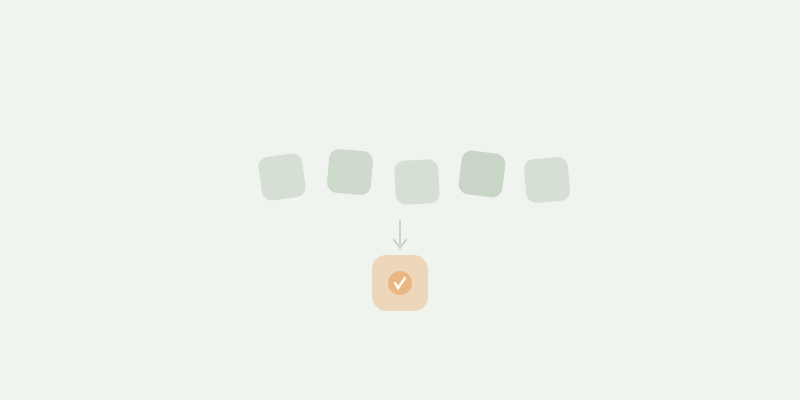
A typical shared household uses some combination of these tools: a banking app for finances, a notes app for grocery lists, Google Drive for documents, a calendar app for events, and a messaging app to coordinate all of it. Five apps, five logins, five places where household information lives.
This works. Millions of households run this way. But it has costs that are easy to overlook because they accumulate slowly.
The Hidden Costs of Fragmentation
Context switching
Every time you move between apps to complete a household task, you lose a few seconds of focus and context. Adding a grocery item means opening one app. Checking if you can afford a large purchase means opening another. Finding the insurance policy means opening a third.
Individually, each switch is trivial. But a household generates dozens of small management tasks per week. The cumulative switching cost is not time — it is cognitive load. You carry a mental index of “where does this information live?” that you maintain and update constantly.
Information silos
When household data lives in five different apps, no app has the complete picture. Your banking app knows what you spent but not what events are coming up. Your calendar knows what is scheduled but not what it costs. Your grocery list does not know what you bought last time because last time’s list was deleted.
These silos mean you cannot ask simple questions like “how much did we spend on groceries this month?” without manually cross-referencing data from two apps. In practice, you do not ask these questions — you just do not have the answer.
The partner gap
In most households, one person becomes the informal household manager — the one who knows which app has what, who maintains the grocery list format, who remembers where the insurance documents are saved. The other person has partial knowledge and depends on the manager for access and context.
This creates an invisible workload imbalance that has nothing to do with effort or willingness. It is a structural problem: five apps means five systems to learn, and one person usually ends up learning all five.
Orphaned data
Shopping lists get deleted after the trip. Expense entries stop when the spreadsheet is abandoned. Calendar events from last year are buried. When household information is fragmented, old data is effectively lost — not because it was deleted, but because no one knows where it is or how to find it.
When Fragmentation Is Fine
Not every household needs to consolidate. Using five apps is fine when:
- You live alone. One person, one brain — the mental index scales to one.
- Your household is low-complexity. No shared finances, simple meals, few documents to manage.
- One system works for both partners. If you both already use the same calendar and the same notes app, the fragmentation cost is lower.
- You do not care about historical data. If knowing what you spent three months ago does not matter, silos are not a problem.
The costs of fragmentation become noticeable when two or more people share a household, manage shared finances, and need to coordinate daily operations like shopping, events, and documents.
What Consolidation Looks Like
Consolidating does not mean putting everything in one app — it means reducing the number of places where household-critical information lives.
Level 1: Fewer tools, better tools
Replace the generic tools with household-specific ones. Instead of a notes app for groceries, use an app with a persistent catalog. Instead of a spreadsheet for finances, use something that imports your bank statement. You might go from five apps to three — but the three are better suited to the job.
Level 2: One household hub
Use a single app that covers multiple household domains. A household hub handles finances, groceries, documents, and scheduling in one place. Both partners access the same system, see the same data, and do not need to maintain a mental index of where things live.
The trade-off is that a hub does each thing somewhat less deeply than a dedicated tool. A household app’s calendar will be simpler than Google Calendar. Its task management will be simpler than Todoist. But the value is not depth in one area — it is breadth across all areas with zero fragmentation.
Level 3: Connected tools
If consolidation into one app is not possible (because one partner insists on Google Calendar, or you need a specific banking app), the next best thing is connecting tools so they share data. Calendar syncs, automated expense imports, and shared document links reduce silos without requiring everyone to switch apps.
The One-App Household
For couples and small households (2–4 people), one app that covers finances, groceries, documents, and a planner eliminates the costs described above. Both partners see the same data. There is no mental index to maintain. Historical data accumulates in one place.
SameNest is built for this use case — shared expense tracking with bank CSV import, a grocery list with a household catalog, a document drive, and a unified planner for events and tasks. Everything in one place, accessible to both partners, with no fragmentation.
The deciding question is not “is this app better than Google Calendar?” — it is “is having everything in one place worth giving up the depth of five specialized tools?” For many households, the answer is yes.
Frequently Asked Questions
Is it realistic to manage a household with just one app?
For couples and small households, yes. The four domains that matter most — finances, groceries, documents, and scheduling — can be handled in a single app. Large families with complex scheduling needs may still want a dedicated calendar alongside a household hub.
What about the apps I already use and like?
You do not have to replace everything at once. Start with the area that causes the most friction — usually finances or groceries — and consolidate that first. If it works, consolidate the next area. If you prefer a specific tool for one domain, keep it.
Does consolidating save money?
It can. If you are paying for a task manager ($5/month), a grocery app ($3/month), and a document tool (Google Drive is free, but some people use paid alternatives), consolidating into one household app may cost less. SameNest is $4.99/month for the entire household.
What if my partner does not want to switch apps?
Start with a low-friction shared need — usually the grocery list. If both partners use the same grocery list app and it works, suggest trying the expense tracking next. Consolidation works best when it is gradual and driven by convenience, not by one person’s decision.